

Subcontractors and helpers
- Who
- Owners, Office
- Where
- A job → Labor → Log hours → Someone else.
Helpers by the day and subcontractors by the job are labor too. Add them by name, as hours at a rate or as one fixed amount, so the job’s cost is complete.
Why it’s there
Section titled “Why it’s there”A job’s profit is only right if everyone who worked on it is counted, including people who aren’t on your team.
Who sees it
Section titled “Who sees it”People who log everyone’s hours and see labor costs: owners and the Office role. Field workers log only their own hours and never see other people’s.
How to use it
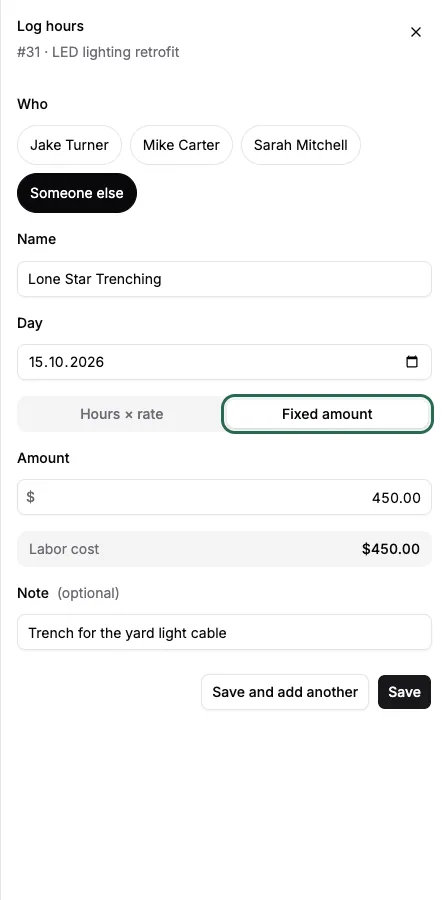
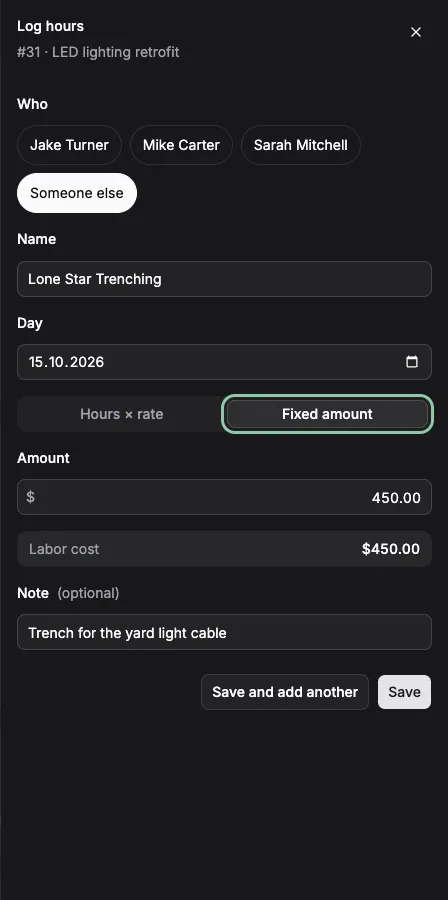
Section titled “How to use it”- Open the job. In Labor, click Log hours. Under Who, choose Someone else and type the Name (names you used before are suggested). Pick the Day.
- Choose Hours × rate and fill in the hours and rate, or Fixed amount for a price agreed for the whole job.
Add a note if you like, then Save.
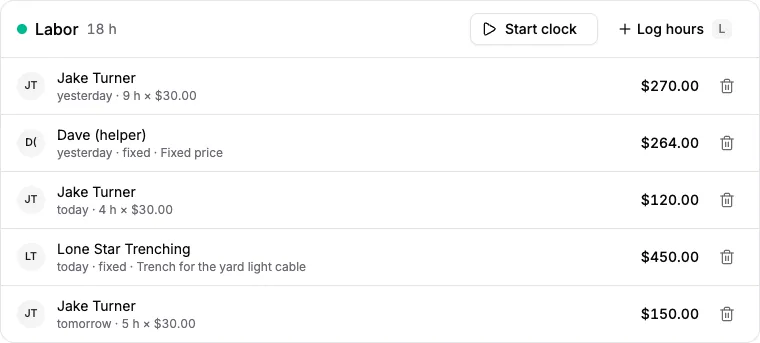
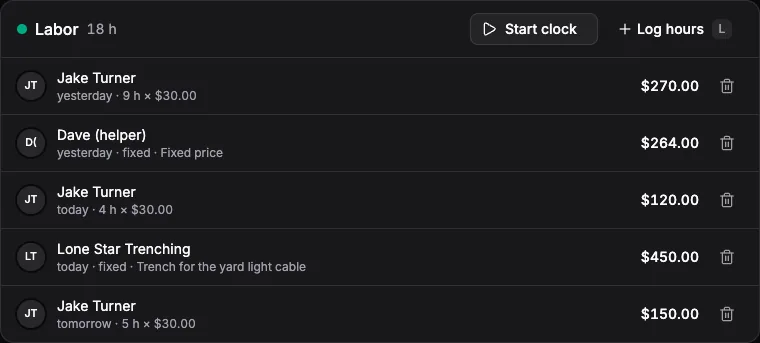
- The labor shows on the job with the name and the amount, and counts in the job’s costs.
Good to know
Section titled “Good to know”- The name is free text: there’s no separate list of subcontractors.
- With hours but no rate, the line costs nothing; add the rate to count it.
- Removing a labor line has no undo.
- New labor lines work with no signal (how).